
PDF Reader Pro - Sign, Edit PDF1.8.6 - App Store
You'll be able to see results in few seconds.
Publisher Description
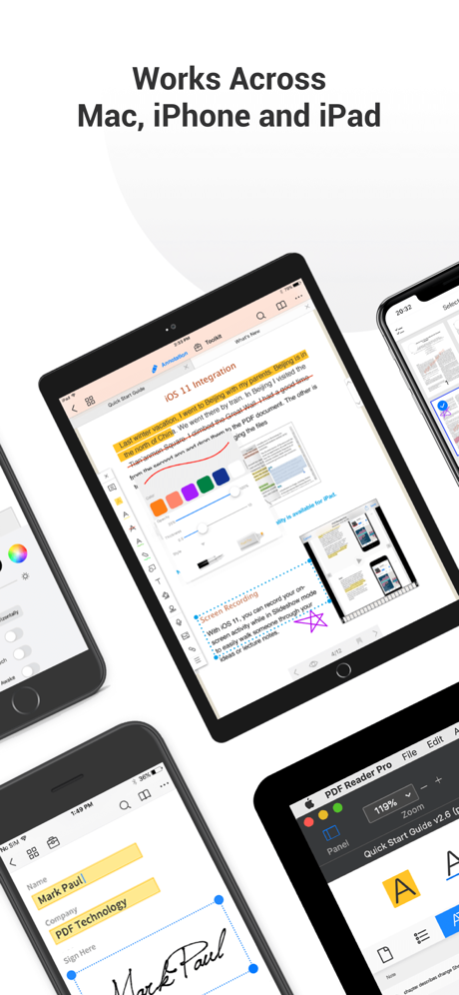
READ
Reading modes - Multi-tab viewing(iPad only), full-screen, horizontal or vertical orientation, auto flow
Presentation - Slideshow Mode to present your PDF as PPT
Night mode - Night mode supported for long time reading to comfort eyes
Bookmark - Make bookmarks when it comes to intuitive navigation through PDF files
Smart Crop - Automatically hide the white margins of your PDFs
DRM - supports Vitrium* protected PDF files (Like University of Phoenix)
Enable full text search, scroll, zoom in and out.
ANNOTATE
Classic tools - Annotate your PDF with highlight, underline, strikethrough, note, freehand, text box, anchored note, rectangle, circle, line and etc.
Sign - Create multiple signatures for any situations with trackpad, keyboard or images.
Stamps - Insert predesigned stamps such as Approved, Not Approved, Confidential and more.
Link - Now linking any part of the text to a different page or even a website is fast.
Fill FORMS
Work with static PDF forms created in Adobe Acrobat.
Fill out any PDF forms with interactive fields such as text fields, checkboxes, radio buttons, combo boxes, list boxes and etc.
CONVERT
Export from PDF to Microsoft Word (.docx), PowerPoint (.pptx), Excel (.xlsx), RTF, HTML, Text, Image, CSV, and more Offline
Convert MS Office documents, iWorks, web content, and images to PDFs.
Create a new PDF as a blank PDF or from your clipboard content
PAGE EDITOR
Merge Split,Extract, Rotate, rearrange, append, and delete PDF pages.
PDF Editing Toolkit
Watermark - Add fantastic watermarks to keep your documents safe and professional.
Extract images from PDFs
Flatten - Flatten PDF to make the contents static.
PROTECT CONTENT WITH PASSWORD AND ENCRYPTION
Passcode, Encrypt
OCR
OCR (Optical Character Recognition). Convert scanned PDF images into editable and searchable PDFs or TXT files. 50+ languages supported!
About PDF Reader Pro - Sign, Edit PDF
This Office Suites & Tools program is available in English, ChineseSimplified, ChineseTraditional, French, German, Italian. It was last updated on 29 September, 2026. PDF Reader Pro - Sign, Edit PDF is compatible with the following operating systems: Ios, Other.
The company that develops PDF Reader Pro - Sign, Edit PDF is PDF Technologies, Inc. The latest version released by its developer is 1.8.6.
The download we have available for PDF Reader Pro - Sign, Edit PDF has a file size of 52.4 MB. Just click the green Download button above to start the downloading process. The program is listed on our website since 2020-08-05 and was downloaded 0 times. We have already checked if the download link is safe, however for your own protection we recommend that you scan the downloaded software with your antivirus. Your antivirus may detect the PDF Reader Pro - Sign, Edit PDF as malware if the download link is broken.
How to install PDF Reader Pro - Sign, Edit PDF on your Windows device:
- Click on the Download button on our website. This will start the download from the website of the developer.
- Once the PDF Reader Pro - Sign, Edit PDF is downloaded click on it to start the setup process (assuming you are on a desktop computer).
- When the installation is finished you should be able to see and run the program.
Program Details
General
System requirements
Download information
Pricing
Version History
version 1.8.6
posted on 2020-08-05
Now you can enjoy the best PDF to Office Converter! Export from PDF to Microsoft Word (.docx), PowerPoint (.pptx), Excel (.xlsx), RTF, HTML, Text, Image, CSV, and more Offline
PDF to Image. Convert PDFs to JPG, PNG, bmp,gif
OCR (Optical Character Recognition) PDF
version 1.5.2
posted on 2018-11-21
Meet PDF Reader Pro on the all-screen iPad Pro and performance improvements.
・ Compatible with iPhone Xs, Xs Max, and Xr
・ Compatible with Face ID
・ Files app supported - Directly access and view files stored in PDF Reader Pro using the Files app.
Disclaimer
Official App Store Link
We do not host PDF Reader Pro - Sign, Edit PDF on our servers. We did not scan it for viruses, adware, spyware or other type of malware. This app is hosted by Apple and passed their terms and conditions to be listed there. We recommend caution when installing it.
The App Store link for PDF Reader Pro - Sign, Edit PDF is provided to you by apps112.com without any warranties, representations or guarantees of any kind, so access it at your own risk.
If you have questions regarding this particular app contact the publisher directly. For questions about the functionalities of apps112.com contact us.
